


One place to manage your money across currencies
Receive, hold, convert and send NGN, USD, GBP and EUR, with access to Ripple USD (RLUSD), USDC & USDT too.
Get started
Your currencies.
Your choice
Receive it
Receive, hold, convert and send NGN, USD, GBP and EUR, with access to Ripple USD (RLUSD), USDC & USDT too.
Keep it
Received dollars, pounds, or euros? Keep it in that currency until you decide otherwise.
Convert it
Switch between supported currencies when you need to.
Send it
Send directly from your balance, including supported stablecoins.
Made for how you earn and move money

Freelancers & remote workers
Get paid in supported currencies and choose when you want to hold, convert or send your money.
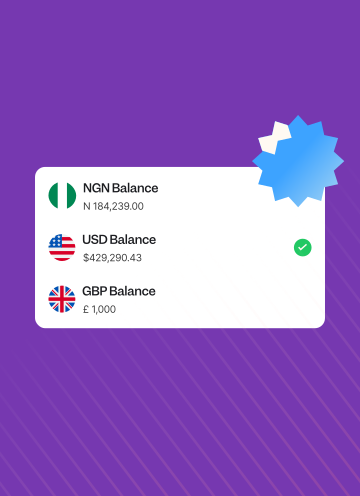
Managing multiple currencies
Keep your NGN, USD, GBP and EUR together, without jumping between different apps

Receiving money from abroad
Receive directly into your account and keep it in the currency that works for you.
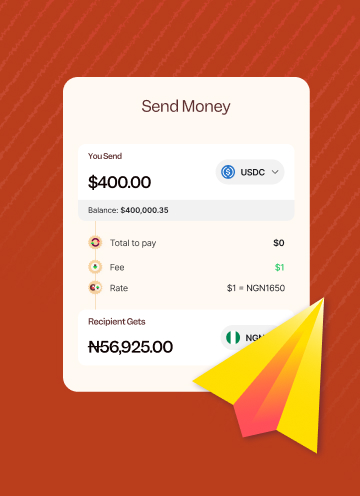
Send it.
Send directly from your balance, including supported stablecoins.

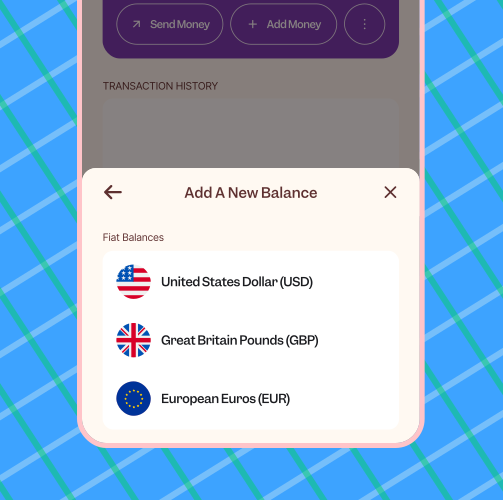
Your own account details, right inside Send App.
 Open personal NGN, USD, GBP, and EUR accounts in your name.
 Set up with your BVN. No physical documents. No monthly maintenance fees.
 Just choose the currency you need and set it up from Balances in your Send App.
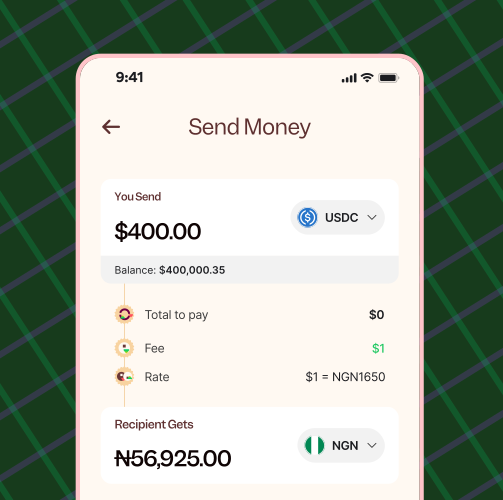
And yes, stablecoins too.
 You can also receive, hold, convert and send: RLUSD · USDC · USDT
 New to stablecoins? They’re digital currencies designed to stay close to the value of the US dollar.
Built for how you actually use your money.

Getting paid from abroad?
Receive into your supported currency account.

Not ready to convert your dollars?
Keep them in USD until you are.

Managing more than one currency?
Keep them together in Send App.

Using stablecoins?
Manage them alongside your other balances..
Start for free
- Free account creation
- Zero Monthly Maintenance
- Free transfers between eligible Send App balances
Other transactions may have fees. You’ll see what applies before you confirm.
See all fees →


Ready when you are.
Open Send App → Go to Balances → Choose a currency → Set up your account. More currencies. More ways to use Send App.
Get startedTerms and conditions apply
Availability is subject to eligibility and applicable requirements.